Master Rigid Body Simulations in Blender
Create Realistic Physics-Based Simulations in Blender
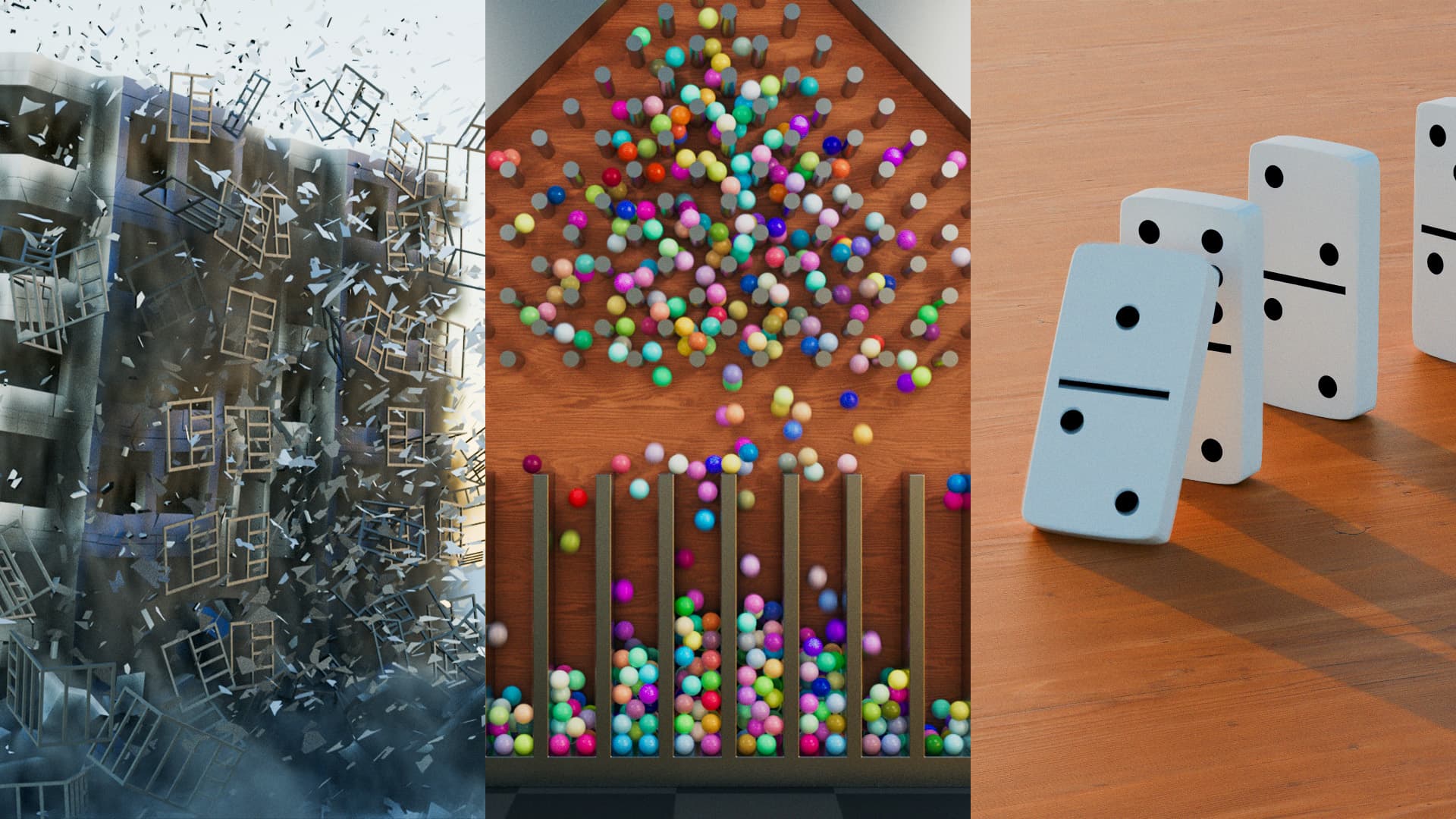
An introduction to physics-based animation focusing on non-deforming objects using Blender's rigid body system. From falling dominoes to full building destruction — built step by step, explained clearly. No jargon, no skipping steps — just solid lessons that actually make sense.
Course Curriculum
What Are Rigid Body Simulations?
A quick overview of rigid body physics and how it differs from other simulation types in Blender. You'll learn what makes this system essential for animating solid, non-deforming objects.
Rigid Body Settings
Understand the core settings like mass, dynamic vs animated behavior, and how they influence your object's movement in simulations.
Collision Shape & Source
Explore how collision shapes work, how Blender interprets geometry for simulation accuracy, and which options offer better performance.
Surface Response & Sensitivity
Learn how to control the bounce, friction, and general behavior of your objects during collisions for more realistic results.
Rigid Body World Settings
Control the global physics environment — gravity, solver settings, and more. These parameters affect how the entire simulation behaves.
Galton Board Simulation
Your first hands-on project! Simulate a Galton board to explore collision interactions, randomness, and object response in a fun and visual way.
Falling Dominoes Simulation
Create a satisfying domino chain reaction. Practice object placement, motion stability, and fine-tuning simulations for smooth results.
Rigid Body Constraints
Dive deep into Blender's constraint system. Learn how to link objects with fixed, hinge, and spring constraints to create more complex simulations.
Building Destruction Simulation
A full-scene simulation where you destroy a building using everything you've learned — rigid bodies, constraints, debris, and even smoke.
What Students Say
“The course is complete and shows a lot of tips and processes that are not available on YouTube and is worth every cent of the dollar.”
— Eudimar Souza
“Great teacher, great course and great courses. I've taken all your classes and have now begun going through them again, adding my own ideas to the scenes now that I have a better grasp of how the program functions. You're the best!”
— JS T777
“Excellent lessons, very clear and helpful. Best Blender class I've taken thus far.”
— Matthew Taylor
“Great class, not too long and straight to the point. Awesome instructor, very easy to listen and follow. And the best part — results in my Blender are matching the video, no additional troubleshooting needed!”
— Zvonimir Dragun
“Superb organised class as always! Been through them all and learned a lot. Always look forward to the classes. Your knowledge and detail is impressive.”
— Aleem
“All of your courses are great. So informative, easy to follow along, plus the project files you supply help a lot whenever I made mistakes I had no idea how to fix.”
— Yiğit Şener
“Amazing course and awesome teacher. I'm still pretty new to blender and this was my first realistic blend. Super easy to follow along and everything is explained so well.”
— Helen
“I am genuinely impressed with this course depth and clarity. The step-by-step progression through each stage in Blender has been both informative and enjoyable.”
— Uwe Wlaschny
“I learned new techniques in a very nice way, not just following the steps of the tutorial but learning to understand how to use these techniques in other projects. Very inspiring!”
— Arjen Hoogendoorn
“This is one of the best blender tutorials I've taken on this site. Certainly learned a lot of new things, especially compositing. Superb teacher!”
— Diana Laureen
“Engaging and to the point. Love the way you explain things, and the visual examples really help. The videos are not long at all — that's a great point for me.”
— Omar Khaffash
“This course is very good. It taught me a lot about Blender.”
— Muhammad Abdul Wahab
30-day money-back guarantee
What's included
Duration
3h 15min
Lessons
9 videos